CHI 2026 | High Schoolers Find Scratch Childish — What Blocks Them Is a Sense of Growth
High schoolers dislike block-based programming not because it is too simple, but because the curriculum never lets them see themselves growing.
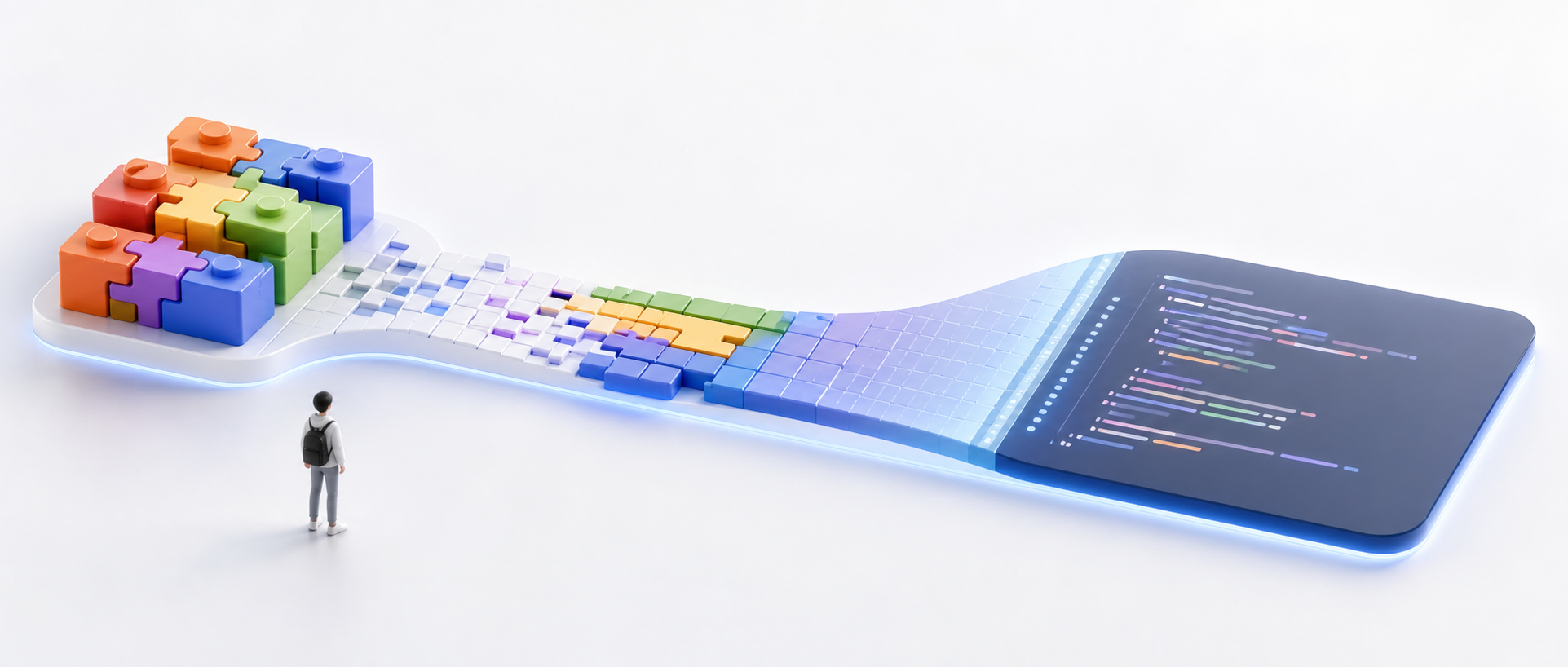
Many people assume high schoolers dislike Scratch, Code.org, or Snap! because they have outgrown those tools and want to write "real" code.
That story is only half right. What this CHI 2026 paper catches is a sharper signal: students may not resent block-based programming itself. What they keep reading, year after year in class, is the same implication — as long as they are still dragging blocks, they are stuck at a lower grade level.
So the problem is not only what the tool can do. It looks more like an illusion along a learning trajectory: students treat "knowing more languages," "moving from blocks to text," and "looking more professional" as proof of progress. If each year's course sends them back to moving sprites and snapping a few blocks together, it is hard not to feel returned to the starting line.
This paper is worth reading not because it defends block-based programming, but because it surfaces a problem CS education often overlooks: students need more than a low-threshold tool — they need a growth path they can see.
Paper information
Original title: Starting From Scratch Again and Again: Tracing the Origins of High Schoolers’ Negative Perceptions of Block-Based Programming
Authors: Caryn Tran, Kristin Fasiang, Max Kanwal, Eleanor O’Rourke. Primary affiliations include Northwestern University and Stanford University.
Venue: CHI 2026, Barcelona, Spain
Paper link: https://doi.org/10.1145/3772318.3791825
What this paper really asks is not whether students like blocks
Research on block-based programming has repeatedly found a similar pattern: students find it easier, but also less real and less powerful. The catch is that those judgments are usually measured at a single moment — students face Scratch or Java and say which they prefer.
Tran and colleagues take a different cut. They ask how those judgments grow. Why do students slowly assemble interface looks, the age of first contact, peer comments, and media images of hackers into a folk theory of what counts as "real" programming?
The paper uses an HCI lens of folk theories: informal explanations users build from experience, surface cues, and social talk. They need not be accurate, yet they shape expectations, trust, and behavior. In CS education, high schoolers are not abstractly comparing blocks and text. They are using a decade of learning experience to ask: where does this tool take me?
Figure 1 places the tools discussed in the paper on a spectrum: from block environments such as Scratch and Hour of Code, to dual-modality platforms such as MakeCode and Code.org App Lab, to CodeCombat and traditional IDEs. The point is not the taxonomy itself. It reminds us that students do not see a single interface — they see a chain of signals about whether something "looks real" or "feels advanced."
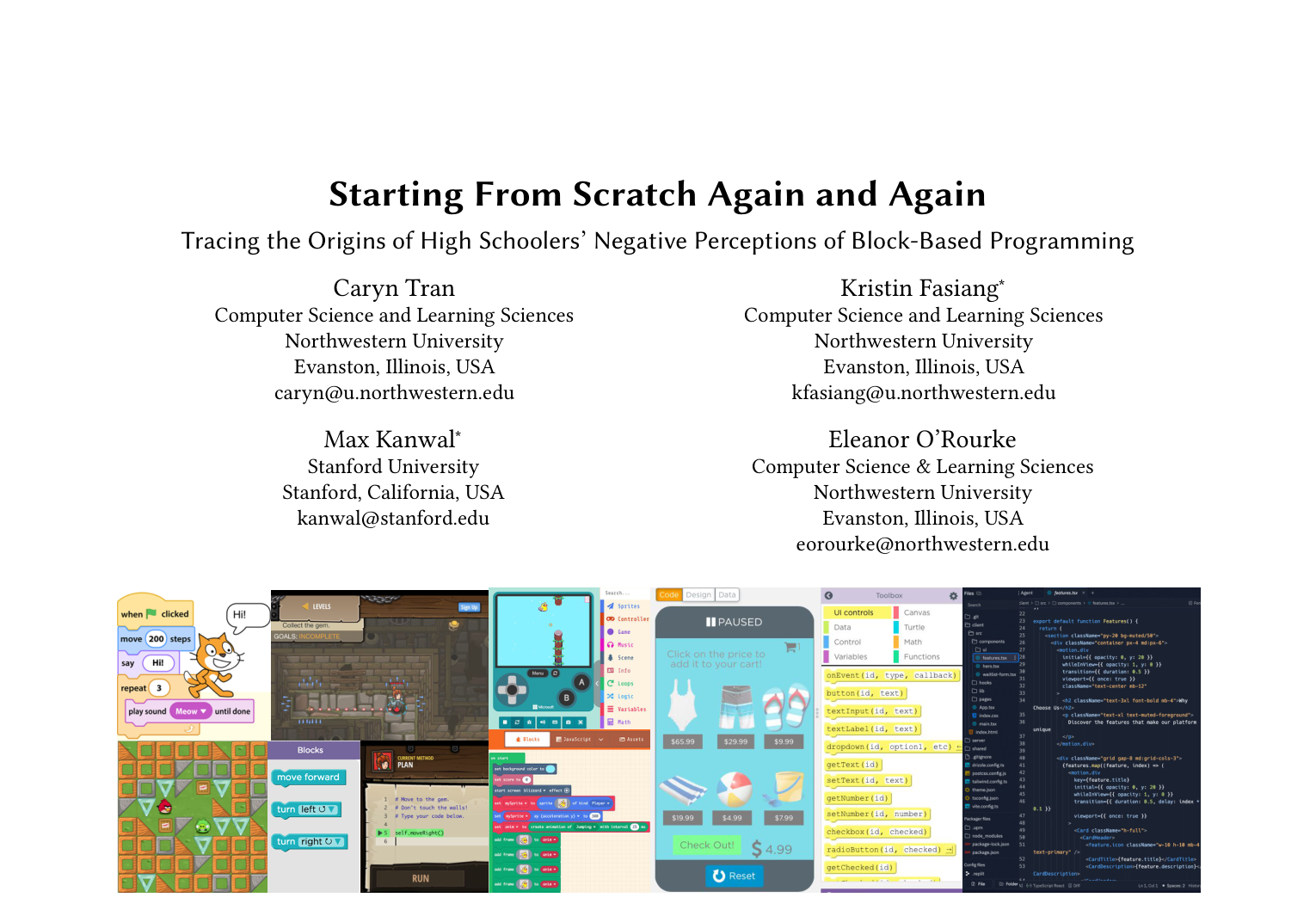
That also explains why the same blocks can feel childish in one setting and invite reappraisal in another. Interface modality is only the surface. What shapes the feeling is the meaning that emerges when modality is packaged with tasks, curriculum, outputs, and peer culture.
Why the authors chose interviews over another tool comparison
The study uses constructivist grounded theory. The authors interviewed 17 U.S. high school CS students, ages 14 to 18, who at recruitment had completed at most one year of formal high school CS. Data collection ran from July 2023 to July 2024. Interviews were on Zoom, 30 to 90 minutes each, averaging about 60 minutes.
That methodological choice matters. The paper is not trying to prove how much a tool raises scores. It tracks how students remember, explain, and connect their learning histories. Through rounds of semi-structured interviews, theoretical sampling, memo writing, open coding, axial coding, and selective coding, the authors gradually assembled recurring explanatory patterns.
The sample is small, but information-dense. The 17 participants came from private, rural, and large suburban schools across different U.S. states; gender was roughly balanced, and ethnic backgrounds were fairly diverse. Later in the interviews, the authors also used interface probes, showing some students tools such as App Inventor and Thunkable that they may not have used, to see whether those counterexamples would shift judgments about blocks.
The boundary should stay explicit: interview research cannot offer causal proof. It is better suited to "why students understand things this way" than to "this design necessarily causes that outcome." For this paper, that tradeoff is reasonable. Students' aversion to a tool is not explained by one click or one test — it settles along a learning trajectory.
Folk theory 1: learning CS means collecting more languages
The paper finds that many students understand CS progress as mastering more programming languages and syntax. Words such as Python, Java, C++, and JavaScript are not only tool names in their accounts — they function like capability badges.
That idea does not come from nowhere. High school courses are often named by language, exams and assignments emphasize syntactic accuracy, and career talk keeps telling students that some languages are more useful. P13 notes that a relative's high school offered many different computer science languages, including C++, and therefore seemed more solid; P5 also says Python looks better on a résumé.
The danger of this theory is that it narrows CS to "whether you know a language." Students may then overlook larger computational ideas such as problem-solving, abstraction, data structures, systems, and human context. Worse, blocks lose by default in this scoring system: they do not look like the professional world, and students struggle to package them as "I mastered a language."
Folk theory 2: still using blocks means you have not graduated yet
The paper's most cutting thread is that students bind block-based programming to childhood. Of 15 participants, 15 reported that their earliest programming experiences happened in elementary or middle school, mostly with blocks. Those early experiences were usually positive — fun, playful, easy to enter.
The problem comes later. If high school again presents blocks with similar looks, similar tasks, and similar starting points, students read that as regression. P1's account is typical: for years they kept starting from "move the character one square," and eventually felt they had never been taught more than a first-grade starting point.
Figure 2 shows a typical Hour of Code interface: drag a few blocks, solve a visual puzzle, advance to the next level. As a first doorway into programming, it works well. But if students repeatedly encounter only this kind of task, it also locks in the impression that "blocks = beginner level-ups."
![Figure 2: Hour of Code interface. Users complete a puzzle or game (1) by constructing code. They select from three block options (2) and drag blocks into a workspace (3) to form programs that move the character. Programs are not persistent. Users can run their code to check correctness, complete the task, and advance to the next activity. At the top of the interface, one can navigate between tasks. Screenshot of the Angry Birds–themed “Classic Maze” activity from Code.org’s Hour of Code [17].](/images/blog/2026-06-26-scratch-growth-feeling/chart_16_2.png)
Scratch further strengthens that impression. In Figure 3, the bright colors, characters, stage, and block area feel welcoming to elementary students; high schoolers read the same visual language as "this is for kids." P7 says making small games was fun at first, then Scratch felt "super basic," and interest dropped quickly.
![Figure 3: Scratch interface. Within the brightly colored interface, users select blocks from the block palette (1) and drag them into the code area (2). The code area contains a script that controls the Scratch cat sprite on the stage (3). Users press the green flag at the top left of the stage to run programs and observe execution. Screenshot of Scratch 3.0, released January 2, 2019 [20, 32].](/images/blog/2026-06-26-scratch-growth-feeling/chart_16_5.png)
Snap! is subtler. It supports first-class functions and lists and is used in middle school, high school, and even college courses, yet because it visually inherits Scratch's style, students may still judge it first by appearance as "not serious enough." Figure 4 shows the bind: underlying capability has changed, but surface cues make students think they are still at the same stage.
![Figure 4: Snap! interface. Users can create turtle graphics programs using block-based programming. Built to resemble Scratch, blocks are dragged from the block palette (1) into the scripting area (2) in order to program sprites in the stage (3). A program in the scripting area controls the sprite to draw a square on the stage. Screenshot of Snap! 11.0.8 [53].](/images/blog/2026-06-26-scratch-growth-feeling/chart_16_10.png)
So the paper is not criticizing Scratch's colors as such. It criticizes a curriculum and tool sequence that never lets students see growth. Every encounter feels like "starting over," so of course students treat text code as the only exit.
Folk theory 3: blocks can only make toy programs
Students also often bind blocks to "low expressiveness." They see blocks as a shortcut that hides real mechanisms and can only move characters, make small games, or complete closed tutorials. P1 uses a palette metaphor: blocks are like premixed colors — usable, but not freely combinable like red, yellow, and blue.
Here the paper is careful: modality is not capability. Whether a tool is blocks, text, or dual-modality does not by itself decide what it can do. What shapes a sense of power also includes the number of primitives, levels of abstraction, whether tasks are open-ended, whether external libraries are supported, and whether outputs can reach real devices.
Figure 5's MIT App Inventor is a counterexample. It is still blocks, yet students can design UI, assemble logic, and install an Android app on a real device. For some participants, only after seeing such tools did they realize blocks need not stay at toy programs.
![Figure 5: MIT App Inventor. Users create mobile applications by arranging UI components in the Designer (top) and defining application logic by assembling blocks in the Blocks Editor view (bottom). Apps can be installed and run on Android phones. Images from [40].](/images/blog/2026-06-26-scratch-growth-feeling/chart_16_13.png)
Figure 6's Thunkable widens the gap further. It likewise uses visual design and block logic, but with a more modern interface aimed at more professional no-code / low-code app building. Tools like this break students' default binding: blocks are not necessarily childish — what is childish is certain task designs and presentations.
![Figure 6: Thunkable interface. Similar to MIT App Inventor, users design (top) then code (bottom) native phone applications with blocks. Platform is more geared towards professionals with a modern aesthetic and expanded functionality. Screenshot of Thunkable’s Package Pickup sample app [66].](/images/blog/2026-06-26-scratch-growth-feeling/chart_17_3.png)
Conversely, text is not always more powerful. Figure 7 shows CodeHS Karel using Python-style commands to control a character in a grid world. It is text, but the command set is narrow and the tasks highly structured. After comparing Karel and App Inventor, P2 realized that complexity does not necessarily come from text, and modality is not the only standard for judging tool depth.
![Figure 7: CodeHS Karel interface. Students write Python-style commands to control Karel, a dog, in a grid-world simulator in order to solve an exercise. On the left, students view the task description and quick documentation (1). In the center, they write Python code using a limited set of functions to complete the task (2). On the right, students can see Karel move in the grid world, execute test cases, access documentation, and perform course-specific actions (3). Screenshot of a CodeHS exercise [16].](/images/blog/2026-06-26-scratch-growth-feeling/chart_17_14.png)
The takeaway worth keeping: students want evidence that they are getting stronger
What I find most worth taking from this paper is that it rewrites students' negative judgments of blocks from a "preference problem" into a "trajectory problem." Students are not simply tired of colorful blocks. They are asking: does this tool still treat me like a child? Can I build more complex things with it? Can it move me closer to the CS I imagine?
That explains why counterexamples work. When students see App Inventor, Thunkable, or dual-modality tools, their judgments loosen. P11 originally did not believe apps could be made with blocks; after seeing them, they conceded that both blocks and text have practical applications. P14 also shifted from "blocks have limited function" to "they can support a wider range of projects."
But the paper is careful: merely showing stronger tools does not automatically solve the "authenticity" problem. Prior research shows dual-modality tools do not immediately make students feel blocks are more authentic. When students judge authenticity, they look at a larger narrative — how peers see it, how teachers introduce it, where the course goes next.
Evidence strength: good for explaining mechanisms, not for strong causal claims
As a grounded theory study, the paper's strength is explanatory power. It does not stop students' complaints at "I don't like Scratch." It organizes them into three folk theories and asks where those theories come from: early contact, repeated shallow tasks, childlike visuals, course naming, career discourse, peer pressure, and media images.
Its limits are equally clear. The sample is only 17 U.S. high school students and is self-selected; data rely on memory, so students may reorganize past experience; there is no experimental manipulation, so one cannot say a visual style necessarily causes a negative feeling.
A more accurate reading, then: the paper does not prove that "blocks cause students to lose interest." It shows that many students already understand blocks through a set of folk theories that are explainable, traceable, and shift with counterexamples. For designers and educators, that is already important, because those theories affect whether students are willing to keep using a tool.
What this means for teaching and tool design
First, curricula cannot only design an "entry point"; they must design the visibility of advancement. When students see similar looks, similar tasks, and similar starting points every year, they will not automatically know that underlying concepts have deepened. Teachers need to say it plainly: compared with last time, where has the capability boundary expanded?
Second, do not treat "from blocks to text" as the only growth axis. Real progress can also mean moving from closed tasks to open projects, from low to high abstraction, from personal toys to real users, from syntax drills to system design. If those axes are never named, students will substitute the most visible one: whether the interface is text.
Third, designers should watch the historical burden of visual language. If block tools aimed at high schoolers keep overly childlike interfaces, they are easily filed under "stuff I used as a kid." That is not an argument for cold, sterile tools — it is an argument that students need to see maturity, complexity, and a future-facing feel.
Fourth, counterexamples are valuable. Showing students professional visual programming, App Inventor, Thunkable, Unreal Blueprints, or LabVIEW can break the intuition that "blocks = toys." Often it is not enough for teachers to say blocks are powerful; students need to see blocks make things that do not look like toys.
Limitations and next steps
The authors acknowledge that the study rests on a small sample, a U.S. context, and retrospective interviews. Students in other countries, curricula, and age groups may form different folk theories. When elementary and middle school students first bind blocks to "childish" also needs longitudinal study.
More valuable future questions turn these explanations into interventions: if a course explicitly teaches the difference between modality and capability, will students reduce bias against blocks? If tools look more like professional creative environments, will high schoolers invest more? If the growth axis shifts from "language upgrades" to "project-complexity upgrades," will students' understanding of CS widen?
Key terms
Block-based programming: Constructing programs with draggable, snappable visual blocks. It mainly lowers syntactic burden, but does not inherently equal low expressiveness.
Text-based programming: Writing programs with textual syntax. It is closer to common professional forms of programming, but can also be wrapped in highly constrained teaching environments.
Dual-modality tools: Tools that allow switching between blocks and text. They can help students see correspondences between the two representations.
Folk theories: Informal explanations users form from experience and surface cues. They need not match expert understanding, yet they shape how users judge and use tools.
References
Tran, C., Fasiang, K., Kanwal, M., & O’Rourke, E. (2026). Starting From Scratch Again and Again: Tracing the Origins of High Schoolers’ Negative Perceptions of Block-Based Programming. In Proceedings of the 2026 CHI Conference on Human Factors in Computing Systems (CHI ’26). ACM. https://doi.org/10.1145/3772318.3791825